
HP ProLiant DL145 Generation 3 Server Software Configuration Guide

System BIOS configuration 15
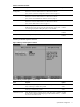
Field Description Options
Embedded SATA Enables the embedded SATA controller. Disabled
Enabled
SATA mode Selects native SATA mode or parallel ATA (PATA) emulation mode.
Use the native SATA mode if you are installing a Linux operating system. Use
the PATA setting if you are installing Microsoft Windows.
PATA
SATA
CAUTION: If you do not change the SATA mode setting to PATA before you install Windows with the default ATA driver, the
operating system will hang.
Enable/Disable Int13
support
Enables access to SATA hard drives in DOS to boot the operating system. Enable
Disable
Option ROM Scan Selects whether to initialize the device expansion ROM, making the device
bootable.
Enabled
Disabled
Enable Master Enables the selected device as a PCI bus master. Disabled
Enabled
Latency Timer Sets the clock rate for the PCI bus master. Default
0020h
0040h
0060h
0080h
00A0h
00C0h
00E0h
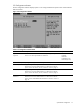
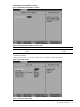
I/O Device Configuration submenu
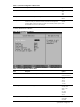
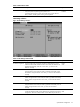
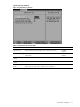
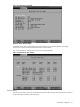
Figure 11 I/O Device Configuration submenu
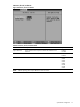
Table 11 I/O Device Configuration submenu fields
Field Description Options
Serial port A Assigns control for the serial port.
When set to Enabled, users can manually configure the serial port settings.
Disabled
Enabled
Auto