
HP ProLiant DL145 Generation 3 Server Software Configuration Guide

System BIOS configuration 12
PCI Configuration submenu
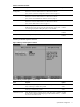
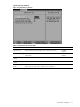
The PCI Configuration submenu displays options to view settings related to the expansion slots and the onboard
Ethernet controller.
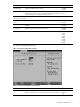
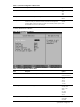
Figure 7 PCI Configuration submenu
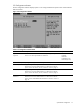
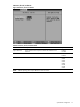
Table 7 PCI Configuration submenu fields
Field Description Options
Option ROM
Expansion
Selects whether to increase or relocate memory during ROM expansion time
if errors occur when option ROMs are initialized.
Normal
Extended
Relocated
Extended (by size)
Relocated (by size)
CAUTION: The system may hang when using the Extended setting with some option ROMs.
PCI Device, Slot #1 Displays settings for the expansion device in slot 1.
Press Enter to access the related submenu. For details on the submenu
options, see the “PCI Device, Slot #1/2 submenu” section on page 13.
PCI Device, Slot #2 Displays settings for the expansion device in slot 2.
Press Enter to access the related submenu. For details on the submenu
options, see the “PCI Device, Slot #1/2 submenu” section on page 13.
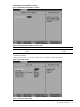
Embedded Broadcom
BCM5715
Displays settings for the embedded Ethernet controller.
Press Enter to access the related submenu. For details on the submenu
options, see the “Embedded Broadcom BCM5715 submenu” section on
page 14.