
HP ProLiant DL145 Generation 3 Server Software Configuration Guide

System BIOS configuration 11
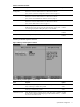
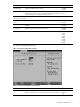
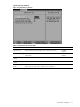
Table 5 Advanced menu fields
Field Description Options
I/O Device
Configuration
Displays the settings related to the serial port.
Press Enter to access the related submenu. For details on the submenu
options, see the “I/O Device Configuration submenu” section on page 15.
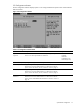
Console Redirection Displays the settings related to console redirection.
Press Enter to access the related submenu. For details on the submenu
options, see the “Console Redirection submenu” section on page 16.
IPMI Displays the settings related to server management.
Press Enter to access the related submenu. For details on the submenu
options, see the “IPMI submenu” section on page 17.
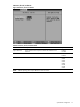
HPET Timer Enables the high precision event timer. When set to Disabled, this option
disables the device and removes it from the ACPI namespace. If your system
is not working properly after enabling this option, set it to Disabled.
Disabled
Enabled
Diagnostics Boot Mode Puts the system into a special mode for CD-based diagnostics. Disabled
Enabled
Factory Boot Mode Used during the factory assembly and test process. Disabled
Enabled
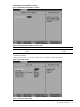
Memory Controller Options submenu
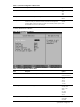
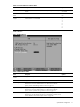
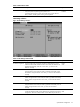
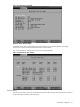
Figure 6 Memory Controller Options submenu
Table 6 Memory Controller Options submenu fields
Field Description Options
DRAM Bank Interleave Enables interleaving memory blocks across the DRAM chipsets. If set to
AUTO, interleaving is enabled when possible.
Disabled
AUTO
Node Interleave Enables interleaving memory blocks across nodes. If set to AUTO,
interleaving is enabled when possible.
Disabled
AUTO
32-Bit Memory Hole Enables DRAM remapping around the memory hole. If this option is disabled,
the system forces contiguous DRAM mapping, possibly behind the memory
hole, where it cannot be accessed.
Disabled
Enabled