
HP ProLiant DL140 Generation 3 Server Maintenance and Service Guide

Contents 87
7. Arrange the drive and power cables of the available hard drives over the routed FPB cables,
and then reconnect them to their corresponding connectors on the rear of the drives.
8. Connect the FPB cables to their FPB connectors.
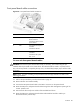
a. Connect the FPB power cable to the CN1 connector.
b. Connect the FPB system board cable to the CN2 connector.
c. Connect the FPB fan cables to their corresponding connectors, and then secure it through
their fasteners on the base of the chassis.
Go to page 68 for an illustration of the system fan cable connections.
9. Perform the post-installation procedure described on page 29.
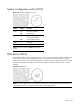
System switches
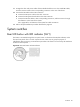
Rear UID button with LED indicator (SW1)
This button is accessible through the rear panel. Press it to illuminate the UID LED indicators on the
front and rear panels. This is to mark a particular unit within a server group for purpose of
identification during servicing or maintenance procedures. This function is mirrored by the UID button
located on the front panel.
Figure 64 Rear UID button with LED indicator