
HP ProLiant DL140 Generation 3 Server Maintenance and Service Guide
Contents 72
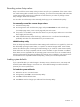
Clearing CMOS
You may need to clear the Setup configuration values (CMOS) if the configuration has been
corrupted, or if incorrect settings made in the Setup Utility have caused error messages to be
unreadable. Clearing the CMOS data removes the administrator password.
The clear CMOS switch is switch 2 of the system configuration switch (SW2). Go to page 84 for the
location of this switch.
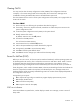
To clear CMOS:
1. Remove the top cover following the procedures described on page 31.
2. If necessary, remove any expansion boards, assemblies or cables that prevent access to the
system configuration switch.
3. Locate the system configuration switch (SW2) on the system board.
4. Identify SW2-2 of the switch.
By default, SW2-2 is set to the Off position.
5. Set SW2-2 to the On position.
This will clear the CMOS memory.
6. Switch SW2-2 back to its default Off position.
7. Perform the post-installation procedure described on page 29.
8. During POST, press F10 to access the Setup Utility.
9. Press F9 to load the system default values.
10. Press F10 to save the changes you made and close the Setup Utility.
Power-On Self-Test (POST)
Before you can use a server, all devices must be tested and initialized, and the operating system must
be bootstrapped to the memory. This is referred to as Power–On Self–Test or POST. POST is a series
of diagnostic tests that checks firmware and hardware components to ensure that the server is
properly functioning. This diagnostic function automatically runs each time the server is powered on.
These diagnostics, which reside in the BIOS ROM, isolate server-related logic failures and indicate the
board or component that needs to be replaced, as indicated by the error messages. Most server
hardware failures will be accurately isolated during POST. The number of tests displayed depends on
the configuration of the server.
During POST you can press:
• Esc to skip the HP logo and go to POST boot progress display system summary screen.
• F7 to display the Boot menu.
• F10 to access the Setup Utility.
• F12 to request a network boot (PXE).
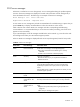
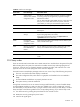
POST error indicators
When POST detects a system failure, it either displays a POST error message, or emits a series of
beep codes.