
HP ProLiant DL140 Generation 3 Server Maintenance and Service Guide

Contents 59
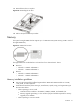
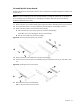
Figure 49 Replacing the system battery
3. Perform the post-installation procedure.
System fans
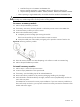
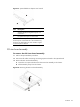
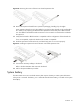
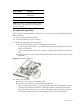
The server has six system fans located on the chassis’ center wall.
Figure 50 System fans
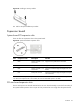
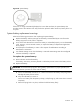
System fan connections
Figure 51 identifies the system fans by their device number and shows their corresponding cable
connections.
Figure 51 System fan connections