
ProLiant DL140 Generation 2 Server Maintenance and Service Guide

Removal and replacement procedures 29
To install a processor:
1. Perform steps 1 through 3 of the previous section.
2. Locate an empty processor socket.
3. If you intend to install the new processor in processor socket 1—creating a dual-processor configuration—
remove the processor air baffle first.
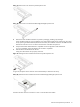
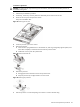
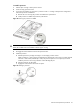
a. Remove the screw securing the processor air baffle to the system board.
b. Lift the processor air baffle away from the system board.
Figure 36 Removing the processor air baffle
CAUTION: Do not discard the processor air baffle. If the processor in processor socket 1 is removed in the
future, the air baffle must be reinstalled to maintain proper cooling.
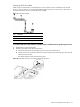
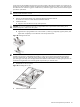
4. Disengage the socket retention lever from the processor base.
5. Install the processor.
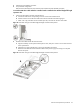
a. Hold the processor by its edges and align it over the empty processor socket.
Make sure that pin 1 of the processor (indicated by the gold triangle on the corner) is properly aligned
with hole 1 of the socket (indicated by a notch). The pins are keyed in such a way that you cannot
install the processor in the wrong orientation without bending the pins.
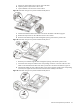
b. Insert the processor into the socket.
c. Engage the socket retention lever back into place.
Figure 37 Installing a processor