
ProLiant DL140 Generation 2 Server Maintenance and Service Guide

Removal and replacement procedures 27
System board configuration
Processor
The server’s two mPGA604 sockets (U6 and U18) support dual-core Intel Xeon 800 MHz FSB processors with 1
and 2 MB on-die L2 cache.
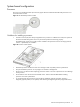
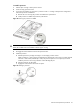
Figure 31 Intel mPGA604 processor sockets
Guidelines for installing a processor
• Processor socket 0 (U6) must always be populated. If no processor is installed in this socket, the system will
fail to boot and halt during POST. This error prevents the system from functioning properly.
The default system comes with a single processor installed in the processor socket 0. The empty processor
socket 1 is protected by an air baffle.
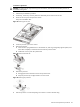
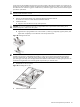
Figure 32 Processor socket numbers
• Handle the processor and heat sink with care. Damage to either may affect processor performance.
• The pins beneath the processor are very fragile. Do not bend or damage them.
• Always use a new heat sink when replacing processors. Failure to use new components can cause damage
to the processor.
• Be sure that the server has the most recent ROM version. Failure to flash the ROM before installing
processors can cause system failure.
• To prevent the heat sink from tilting to one side during installation/removal procedures, observe a
diagonally opposite pattern (an “X” pattern) when loosening and tightening the four spring-loaded screws.