
HP ProLiant BL685c G7 Server Blade User Guide


Hardware options installation 40
14.
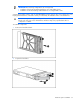
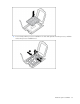
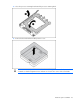
Close the processor retaining bracket and the processor retaining latch.
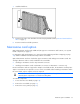
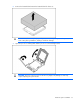
15. Remove the thermal interface media protective cover.
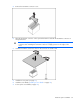
CAUTION: To avoid possible mechanical or thermal damage to the server blade, orient the
heatsinks so that the alignment arrows and text are closest to the center of the server blade.