
HP ProLiant BL685c G7 Server Blade Maintenance and Service Guide

Removal and replacement procedures 40
7.
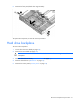
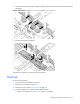
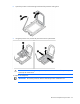
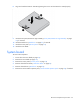
Remove the capacitor pack holder.
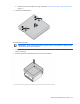
8. Remove the HP Smart Array controller ("HP Smart Array Controller" on page 27).
9. Remove the DIMM baffles ("DIMM baffle" on page 26).
10. Remove all DIMMs ("DIMMs" on page 26).
11. Remove the front panel/hard drive cage assembly ("Front panel/hard drive cage assembly" on page
30).
12. Remove any installed mezzanine cards ("Mezzanine card" on page 28).
13. Remove the heatsink ("Heatsink" on page 32).
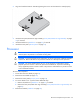
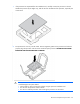
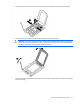
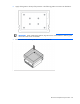
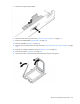
14. Open the processor socket retaining bracket and the processor locking lever.