
HP ProLiant BL685c G7 Server Blade Maintenance and Service Guide

Removal and replacement procedures 35
6.
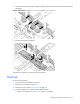
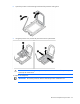
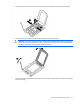
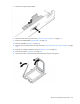
Open the processor socket retaining bracket and the processor locking lever.
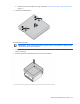
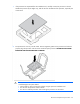
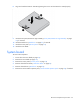
7. Using the processor tool, remove the processor from the system board.
CAUTION: To avoid damage to the processor, do not touch the bottom of the processor,
especially the contact area.
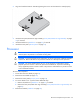
To replace the component:
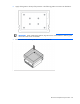
IMPORTANT: Be sure the processor remains inside the processor installation tool.