
HP ProLiant BL685c Generation 5 Server Maintenance and Service Guide

Removal and replacement procedures 27
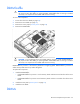
CAUTION: Use only HP DIMMs. DIMMs from other sources may adversely affect data integrity.
To remove the component:
1. Power down the server blade (on page 22).
2. Remove the server blade (on page 23).
3. Remove the access panel ("Access panel" on page 24).
4. Remove all DIMM baffles ("DIMM baffle" on page 26).
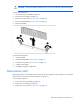
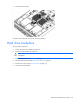
5. Remove the DIMM.
To replace the component:
1. Install the DIMM.
2. Install the DIMM baffle ("DIMM baffle" on page 26).
3. Install the access panel ("Access panel" on page 24).
4. Install the server blade.
5. Use RBSU to verify the configuration.
Mezzanine card
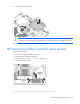
Optional mezzanine cards enable network connectivity and provide Fibre Channel support. For mezzanine
card locations, see the system board components (on page 59).
To remove the component:
1. Power down the server blade (on page 22).
2. Remove the server blade (on page 23).
3. Remove the access panel ("Access panel" on page 24).