
HP ProLiant BL685c Generation 5 Server Maintenance and Service Guide

Removal and replacement procedures 25
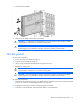
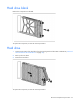
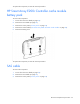
Hard drive blank
Remove the component as indicated.
To replace the component, reverse the removal procedure.
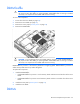
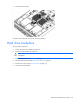
Hard drive
1. Determine the status of the hard drive from the hot-plug SAS hard drive LED combinations ("SAS and
SATA hard drive LED combinations" on page 58).
2. Back up all server data.
3. Remove the hard drive.
To replace the component, reverse the removal procedure.