
HP ProLiant BL660c Gen8 Server Blade Maintenance and Service Guide



Removal and replacement procedures 45
16.
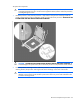
Remove the processor from the processor retaining bracket.
CAUTION: To avoid damage to the processor, do not touch the bottom of the processor,
especially the contact area.
17. Install the processor socket protective cover in each processor socket.
18. Remove the system board from the base pan.
19. Remove the enclosure connector covers from the new system board and install the enclosure connector
covers on the damaged system board. ("Enclosure connector covers" on page 26)
To replace the system board:
1. Place the new server blade system board on a flat, level surface.