
HP ProLiant BL660c Gen8 Server Blade Maintenance and Service Guide



Removal and replacement procedures 44
System board
CAUTION: When returning a damaged system board to HP, always install all processor socket
covers to prevent damage to the processor sockets and system board.
To remove the component:
1. Power down the server blade (on page 22).
2. Remove the server blade (on page 23).
3. Remove the access panel ("Access panel" on page 24).
4. Remove all hard drives ("Drive" on page 25).
5. Remove all hard drive blanks ("Drive blank" on page 25).
6. Disconnect the capacitor pack cabling, if connected ("FBWC capacitor pack cabling" on page 64).
7. If installed, remove the FBWC capacitor pack.
8. Remove all DIMM baffles ("DIMM baffles" on page 27).
9. Remove all DIMMs ("DIMMs" on page 29).
10. Disconnect all cables from the drive backplane. For more information, see "Cabling (on page 64)."
11. Remove the front panel/drive cage assembly ("Front panel/drive cage assembly" on page 37).
12. Remove the mezzanine assembly ("Mezzanine assembly" on page 30).
13. Remove the FlexibleLOM ("FlexibleLOM" on page 33).
14. Remove the heatsink ("Heatsink" on page 38).
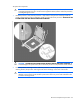
15. Open each of the processor locking levers in the order indicated, and then open the processor retaining
bracket.