
HP ProLiant BL480c Server Blade User Guide

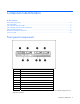
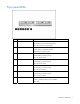
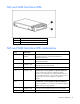
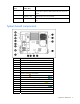
Table Of Contents
- HP ProLiant BL480c Server Blade User Guide
- Notice
- Contents
- Component identification
- Operations
- Setup
- Hardware options installation
- Cabling
- Software and configuration utilities
- Server blade deployment tools
- Configuration tools
- Management tools
- Automatic Server Recovery
- ROMPaq utility
- iLO 2 Standard Blade Edition technology
- Erase Utility
- StorageWorks library and tape tools
- HP Systems Insight Manager
- Management Agents
- HP ProLiant Essentials Virtualization Management Software
- HP ProLiant Essentials Server Migration Pack - Physical to ProLiant Edition
- HP BladeSystem Essentials Insight Control Data Center Edition
- Redundant ROM support
- USB support and functionality
- Diagnostic tools
- Remote support and analysis tools
- Keeping the system current
- Troubleshooting
- Battery replacement
- Regulatory compliance notices
- Regulatory compliance identification numbers
- Federal Communications Commission notice
- Declaration of conformity for products marked with the FCC logo, United States only
- Modifications
- Cables
- Canadian notice (Avis Canadien)
- European Union regulatory notice
- Disposal of waste equipment by users in private households in the European Union
- Japanese notice
- BSMI notice
- Korean notice
- Laser compliance
- Battery replacement notice
- Taiwan battery recycling notice
- Electrostatic discharge
- Specifications
- Technical support
- Acronyms and abbreviations
- Index

Contents 3
Contents
Component identification............................................................................................................... 6
Front panel components ............................................................................................................................. 6
Front panel LEDs ....................................................................................................................................... 7
SAS and SATA hard drive LEDs................................................................................................................... 8
SAS and SATA hard drive LED combinations ................................................................................................ 8
System board components.......................................................................................................................... 9
FBDIMM slot numbering ................................................................................................................. 10
Mezzanine connector definitions ..................................................................................................... 10
System maintenance switch............................................................................................................. 10
System maintenance switch procedures ............................................................................................11
Hard drive backplane components ............................................................................................................ 12
Local I/O cable ...................................................................................................................................... 13
Operations................................................................................................................................. 14
Power up the server blade........................................................................................................................ 14
Power down the server blade.................................................................................................................... 14
Remove the server blade .......................................................................................................................... 15
Remove the access panel.......................................................................................................................... 15
Install the access panel............................................................................................................................. 16
Setup......................................................................................................................................... 17
Installing an HP BladeSystem c-Class enclosure ........................................................................................... 17
Installing server blade options................................................................................................................... 17
Installing interconnect modules.................................................................................................................. 17
Interconnect device mapping .......................................................................................................... 18
Installing a server blade ........................................................................................................................... 18
Connecting to the network........................................................................................................................ 23
Completing the configuration.................................................................................................................... 23
Hardware options installation....................................................................................................... 24
Introduction ............................................................................................................................................ 24
Hot-plug SAS or SATA hard drive option .................................................................................................... 24
Processor option...................................................................................................................................... 25
Memory option ....................................................................................................................................... 32
Memory configurations................................................................................................................... 32
FBDIMM installation guidelines........................................................................................................ 32
Installing FBDIMMs ........................................................................................................................ 35
Mezzanine card option............................................................................................................................ 36
HP Smart Array P400i Controller battery pack ............................................................................................ 37
Cabling ..................................................................................................................................... 39
Using the local I/O cable......................................................................................................................... 39
Connecting locally to a server blade with video and USB devices.................................................................. 39
Accessing a server blade with local KVM .........................................................................................39
Accessing local media devices........................................................................................................ 40
Software and configuration utilities ............................................................................................... 42
Server blade deployment tools .................................................................................................................. 42
Software drivers and additional components..................................................................................... 42
HP BladeSystem c-Class Advanced management ............................................................................... 42
Network-based PXE deployment ...................................................................................................... 43
Deployment methods...................................................................................................................... 44