
HP ProLiant BL465c Gen8 Server Blade Maintenance and Service Guide



Removal and replacement procedures 59
4.
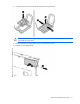
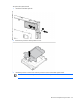
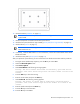
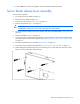
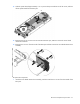
While holding the system board in place, turn the base pan on the side and install the four screws on
the bottom of the base pan.
5. Place the server blade on a flat, level work surface.
IMPORTANT: Install all components in the same configuration prior to removing the system
board.
6. Install the heatsink blank ("Heatsink blank" on page 40).
7. If a capacitor pack option is installed and cabled to a mezzanine option, install this capacitor pack and
route the cable to the mezzanine option. For more information on routing the cables, see "FBWC
capacitor pack cabling ("Capacitor pack cabling" on page 64)."
8. Install all DIMMs ("DIMMs" on page 28).
9. Install the DIMM baffle and connect the drive cable to the SAS controller ("DIMM baffle" on page 27).
10. Install the front panel/drive cage assembly ("Front panel/drive cage assembly" on page 39).
11. Install the hard drives ("Drive" on page 25).
12. Install the hard drive blanks ("Drive blank" on page 25).
13. Install the access panel ("Access panel" on page 24).
HP Trusted Platform Module
The TPM is not a customer-removable part.
CAUTION: Any attempt to remove an installed TPM from the system board breaks or disfigures
the TPM security rivet. Upon locating a broken or disfigured rivet on an installed TPM,
administrators should consider the system compromised and take appropriate measures to ensure
the integrity of the system data.
If you suspect a TPM board failure, leave the TPM installed and remove the system board ("System board" on
page 49). Contact an HP authorized service provider for a replacement system board and TPM board.