
HP ProLiant BL465c Gen8 Server Blade Maintenance and Service Guide



Removal and replacement procedures 56
11.
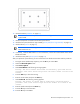
Press the F10 key to confirm exiting RBSU. The server blade automatically reboots.
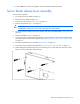
Server blade release lever assembly
To remove the component:
1. Power down the server blade (on page 22).
2. Remove the server blade (on page 23).
3. Remove the access panel ("Access panel" on page 24).
4. Remove all hard drives ("Drive" on page 25).
CAUTION: Always disconnect the drive cables from the SAS controller before removing the
DIMM baffle. Failure to do so may result in damage to the SAS controller.
5. Disconnect the drive cables from the SAS controller and remove the DIMM baffle ("DIMM baffle" on
page 27).
6. Remove all DIMMs ("DIMMs" on page 28).
7. If a capacitor pack is installed and connected to a mezzanine option, disconnect the cable from the
mezzanine option and remove the capacitor pack ("Removing the mezzanine option capacitor pack"
on page 37).
8. Remove the heatsink blank, if installed ("Heatsink blank" on page 40).
9. Remove the front panel/drive cage assembly ("Front panel/drive cage assembly" on page 39).
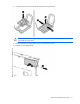
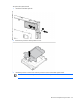
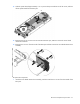
10. While holding the system board in place, turn the base pan on its side and remove the four system
board screws from the bottom of the base pan.
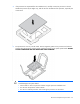
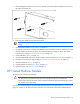
11. Place the server blade on a flat, level work surface.