
HP ProLiant BL465c G7 Server Blade Maintenance and Service Guide

Removal and replacement procedures 36
IMPORTANT:
Processor socket 1 must always be populated. If processor socket 1 is empty, the
server blade does not power up.
To remove the component:
1. Power down the server blade (on page 24).
2. Remove the server blade (on page 25).
3. Remove all hard drive blanks ("Hard drive blank" on page 27).
4. Remove all hard drives ("Hard drive" on page 27).
5. Remove the access panel ("Access panel" on page 26).
6. Remove the front panel/hard drive cage assembly ("Front panel/hard drive cage assembly" on page
33).
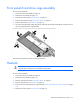
7. Remove the heatsink ("Heatsink" on page 33).
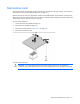
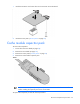
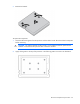
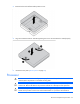
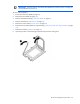
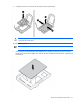
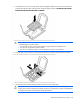
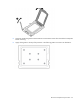
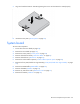
8. Open the processor socket retaining bracket and the processor locking lever.