
ProLiant BL460c Server Blade User Guide



Hardware options installation 22
• Handle the processor only by the edges.
• Do not touch the bottom of the processor, especially the contact area.
CAUTION: To prevent possible server malfunction and damage to the equipment, multiprocessor
configurations must contain processors with the same part number.
CAUTION: To prevent possible server blade overheating, always populate processor socket 2 with a
processor and a heatsink or a processor cover and a heatsink blank.
CAUTION: The heatsink thermal interface media is not reusable and must be replaced if the heatsink is
removed from the processor after it has been installed.
IMPORTANT: When installing the heatsink, align the guide pins on the processor retention bracket with
the alignment holes in the heatsink.
IMPORTANT: Processor socket 1 must always be populated. If processor socket 1 is empty, the server
blade does not power up.
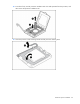
NOTE: Do not discard the processor protective cover. Always install the processor protective cover if the
processor is removed from the socket.
To install the component:
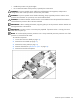
1. Power down the server blade (on page 13).
2. Remove the server blade (on page 14).
3. Remove the access panel (on page 14).
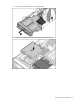
4. Remove all hard drives ("Hard drive option" on page 20).
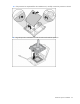
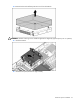
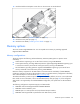
5. Remove the hard drive backplane.