
HP ProLiant BL460c G6 Server Blade User Guide
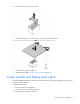
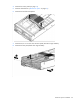
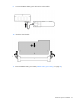
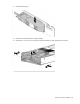
Table Of Contents
- HP ProLiant BL460c G6 Server Blade User Guide
- Abstract
- Notice
- Contents
- Component identification
- Operations
- Setup
- Hardware options installation
- Introduction
- Hard drive option
- Processor option
- Memory options
- Mezzanine card option
- Cache module and battery pack option
- HP Trusted Platform Module option
- Cabling
- Software and configuration utilities
- Troubleshooting
- Battery replacement
- Regulatory compliance notices
- Regulatory compliance identification numbers
- Federal Communications Commission notice
- Declaration of conformity for products marked with the FCC logo, United States only
- Modifications
- Cables
- Canadian notice (Avis Canadien)
- European Union regulatory notice
- Disposal of waste equipment by users in private households in the European Union
- Japanese notice
- BSMI notice
- Korean notice
- Chinese notice
- Laser compliance
- Battery replacement notice
- Taiwan battery recycling notice
- Acoustics statement for Germany (Geräuschemission)
- Electrostatic discharge
- Specifications
- Technical support
- Acronyms and abbreviations
- Index
Hardware options installation 34
4. Remove all DIMM baffles ("Remove the DIMM baffle" on page 14).
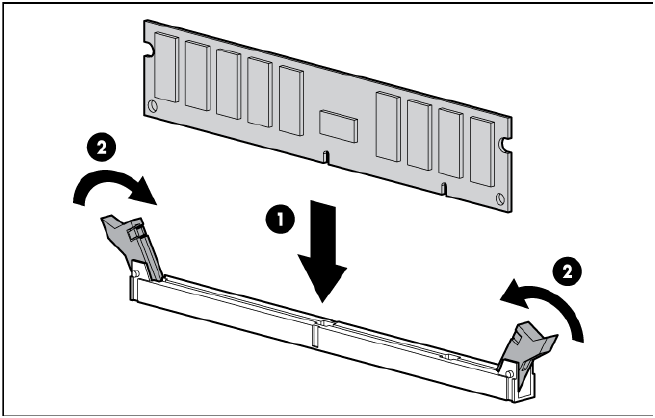
5. Open the DIMM slot latches.
6. Install the DIMM.
7. Install all DIMM baffles.
8. Install the access panel (on page 14).
If you are installing DIMMs in a mirrored or lock-step configuration, configure this mode in RBSU ("HP
ROM-Based Setup Utility" on page 55).
Mezzanine card option
Optional mezzanine cards are classified as Type I mezzanine cards and Type II mezzanine cards. The card
type determines where it can be installed in the server blade.
• Install Type I mezzanine cards on either mezzanine 1 connector or mezzanine 2 connector.
• Install Type II mezzanine cards only on mezzanine 2 connector.
Optional mezzanine cards enable network connectivity or provide Fibre Channel support. For mezzanine
card locations, see the system board components (on page 9).
For mezzanine card mapping, see the HP ProLiant BL460c G6 Server Blade Installation Instructions or see
"Interconnect bay numbering and device mapping (on page 16)."
Because mezzanine cards are supported on multiple server blade models, the mezzanine card may have
captive screws that are not required to secure it to the server blade. When installing a mezzanine card in this
server blade, only two captive screws are required.
To install the component:
1. Power down the server blade (on page 12).
2. Remove the server blade (on page 13).
3. Remove the access panel (on page 14).