
HP ProLiant BL460c Generation 5 Server Blade Maintenance and Service Guide

Removal and replacement procedures 44
12.
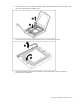
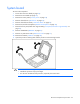
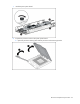
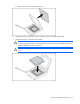
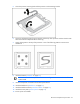
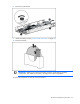
Using your fingers, remove the processor from the failed system board.
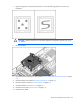
CAUTION: To avoid damage to the system board:
• Do not touch the processor socket contacts.
• Always install the processor socket cover after removing the processor from the socket.
• Do not tilt or slide the processor when lowering the processor into the socket.
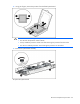
13. Remove the system board assembly.
To replace the system board: