
HP ProLiant BladeSystem p-Class System Maintenance and Service Guide

Removal and Replacement Procedures 58
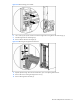
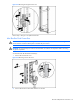
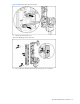
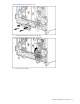
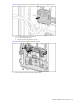
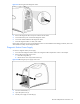
Figure 2-46 Disconnecting cables from the power bus box
Reverse steps 1 through 7 to replace the power bus box.
Facility DC Power Cables
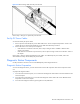
To remove the facility DC power cables:
1. Remove power from the facility DC power cables. Refer to the “Power Components Preparation” section in this
chapter. Be sure to disconnect the facility DC power cables from the facility connection.
2. Remove the access cover on the power component:
• If the cables are connected to a bus bar, refer to steps 3 through 6 of the “Scalable or Mini Bus Bars”
section in this chapter.
• If the cables are connected to a power bus box, refer to steps 3 through 6 of the “Power Bus Box” section in
this chapter.
Reverse steps 1 and 2 to replace the facility DC power cables. To install facility DC power cables, refer to the
documentation that ships with the facility DC power cables.
Diagnostic Station Components
Use the procedures in this section to service HP BladeSystem p-Class diagnostic stations.
Diagnostic Station Preparation
To service the diagnostic station, you must disconnect the unit from all components and remove all power from the
unit.
To prepare the diagnostic station:
1. Power down the external computer, if it is connected to the diagnostic station. Refer to the documentation for the
external computer.
2. Power down the server blade, if it is connected to the diagnostic station. Refer to the “Server Blade Enclosure
Preparation” section in this chapter.
3. Power down the diagnostic station by pressing the Power On/Off button.