
HP ProLiant BL45p Generation 2 Server Blade Maintenance and Service Guide

Removal and replacement procedures 63
13.
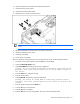
Remove the secondary chassis.
14. Remove the primary access panel ("Primary access panel" on page 29).
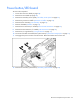
15. Remove the power button/LED board cable ("Power button/LED board" on page 62).
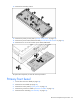
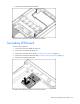
16. Remove the two T-5 screws and the power button/LED board.
To replace the component, reverse the removal procedure.
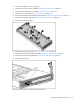
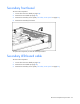
Primary front bezel
1. Power down the server blade (on page 28).
2. Remove the server blade (on page 28).
3. Remove the access panel ("Access panel" on page 29).
4. Remove the processor air baffle ("Processor air baffle" on page 32).
5. Remove the fan assembly ("Fan assembly" on page 33).