
HP ProLiant BL420c Gen8 Server Blade MSG


Removal and replacement procedures 58
3.
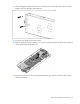
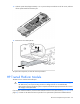
Align the system board, and then slide it into place inside the base pan.
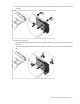
4. While holding the system board in place, turn the base pan on the side and install the two screws on the
bottom of the base pan.
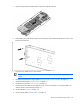
5. Place the server blade on a flat, level surface.
IMPORTANT: Install all components in the same configuration prior to removing the system
board.
6. Install the front panel/drive cage assembly ("Front panel/drive cage assembly" on page 43).
7. Install the heatsink blank ("Heatsink blank" on page 31).
8. Install the SAS controller ("SAS controller" on page 27).
9. Install and route the cables for all capacitor packs. For more information on routing the cables, see
"FBWC capacitor pack cabling (on page 65)."
10. Install all DIMMs ("DIMMs" on page 30).
11. Install all DIMM baffles ("DIMM baffles" on page 28).