
HP ProLiant BL420c Gen8 Server Blade MSG


Removal and replacement procedures 54
9.
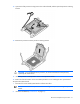
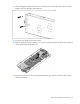
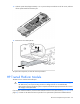
Press and hold the processor retaining bracket in place, and then close each processor locking lever.
Press only in the area indicated on the processor retaining bracket.
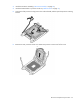
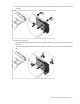
10. Install the processor socket cover onto the processor socket of the failed system board.
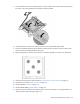
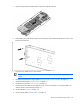
11. Clean the old thermal grease from the heatsink and the top of the processor with the alcohol swab.
Allow the alcohol to evaporate before continuing.
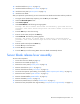
12. Apply all the grease to the top of the processor in the following pattern to ensure even distribution.
13. Install the front panel/drive cage assembly ("Front panel/drive cage assembly" on page 43).
14. Install the SAS controller ("SAS controller" on page 27).
15. Install all DIMMs ("DIMMs" on page 30).
16. Install all DIMM baffles ("DIMM baffles" on page 28).
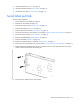
17. Install and route the cables for all capacitor packs. For more information on routing the cables, see
"FBWC capacitor pack cabling (on page 65)."