
HP ProLiant BL420c Gen8 Server Blade MSG


Removal and replacement procedures 47
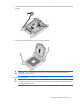
7.
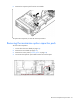
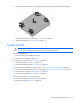
Open each of the processor locking levers in the order indicated, and then open the processor retaining
bracket.
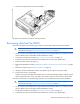
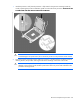
8. Remove the processor from the processor retaining bracket.
CAUTION: To avoid damage to the processor, do not touch the bottom of the processor,
especially the contact area.
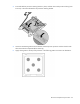
To replace the component:
CAUTION: To avoid damage to the system board, processor socket, and screws, do not
overtighten the heatsink screws. Use the wrench supplied with the system to reduce the possibility
of overtightening the screws.