
HP ProLiant BL420c Gen8 Server Blade MSG

Removal and replacement procedures 38
To replace the component:
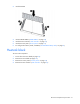
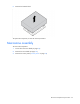
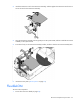
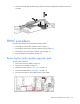
1. Install the drive backplane on the front panel/drive cage assembly.
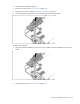
2. Install the front panel/drive cage assembly ("Front panel/drive cage assembly" on page 43).
3. Install the hard drives ("Drive" on page 25).
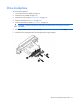
4. Install the hard drive blanks ("Drive blank" on page 25).
5. Install the access panel ("Access panel" on page 24).
NAND flash module for the Smart Array P220i
Controller
The Smart Array P220i Controller is an option for this server blade and ships standard with a capacitor pack
and a NAND flash module.
To remove the component:
1. Power down the server blade (on page 22).
2. Remove the server blade (on page 23).
3. Remove the access panel ("Access panel" on page 24).
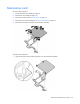
4. Disconnect the capacitor pack cabling, if connected ("FBWC capacitor pack cabling" on page 65).
5. Remove the SAS controller ("SAS controller" on page 27).
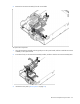
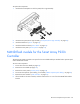
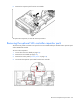
6. Lift the handle on the SAS controller, and then remove the T-15 screw from the NAND flash module
bracket.