
HP ProLiant BL420c Gen8 Server Blade MSG

Removal and replacement procedures 35
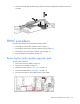
2.
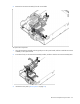
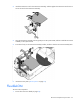
Install the mezzanine card in the mezzanine assembly, and then tighten the mezzanine card screws to
secure the card to the mezzanine assembly.
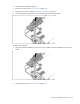
3. Align the mezzanine assembly with the guide pins on the system board, and then install the mezzanine
assembly on the system board.
4. Press down firmly on the mezzanine assembly handles, and then close the mezzanine assembly latch.
5. Install the access panel ("Access panel" on page 24).
FlexibleLOM
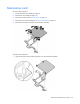
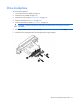
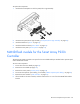
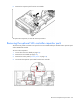
To remove the component:
1. Power down the server blade (on page 22).