
ProLiant BL40p Server Blade Maintenance and Service Guide
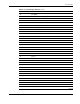
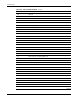
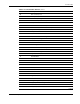
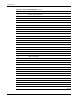

Port 84 Codes
Table 5-4: Port 84 Codes Defined continued
Port 84 Code Description
1C Test CMOS
1D Test DMA controller & page registers
1E Test keyboard controller
1F Unused
20 Test real and extended memory
21 Init time-of-day
22 Init 287 coprocessor
23 Test the keyboard and interface
24 Reset A20 and set default CPU speed
25 Test diskette subsystem
26 Test fixed disk subsystem
27 Initialize SCSI drives
28 Perform search for opt & sys ROM
29 Test for valid system configuration
2A Clear screen re-enable NMI
2B Check for invalid time and date
2C Boot
2D Test timer 2
2E Unused
2F Unused
30 Clear RAM used for stack during POST
31 Load interrupt vectors 70-77
32 Load interrupt vectors 00-1F
33 Initialize MEMSIZE and RESETWD
34 Verify CMOS checksum
35 CMOS checksum is not valid
36 CMOS checksum valid/check battery power
37 Check for communication adapters
38 Check for serial ports
39 Check/initialize parallel printer ports
3A Initialize port and comm timeouts
3B Flush keyboard buffer init kbd queue
3C Unused
3D Unused
continued
HP ProLiant BL40p Server Blade Maintenance and Service Guide 5-7