
ProLiant BL40p Server Blade Maintenance and Service Guide

Removal and Replacement Procedures
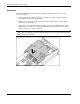
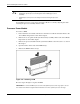
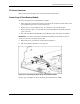
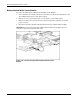
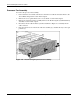
4. Lift the slate blue processor cage lever to release the processor cage (1).
5. Raise the processor cage away from the processor assembly (2).
Figure 2-20: Removing the processor cage
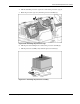
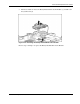
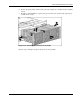
6. Lift the processor-locking lever to release the processor assembly (1).
7. Lift the processor assembly away from the processor socket (2).
Figure 2-21: Removing the processor assembly
HP ProLiant BL40p Server Blade Maintenance and Service Guide 2-21