
ProLiant BL40p Server Blade Maintenance and Service Guide

Removal and Replacement Procedures
Processors
The ProLiant BL40p server blade has the capability of up to four Xeon processors. To
remove a processor:
1. Power down the server blade and remove it from the server blade enclosure. Refer to
“Server Blad e Preparation” in this chapter.
2. Remove the access panel and the system board tray assembly. Refer to “Server Blade
Preparation” in this chapter.
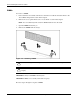
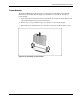
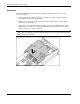
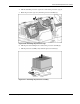
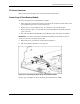
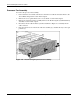
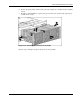
3. Slide the processor baffle back and lift it off the processor assemblies. Push the cables
through the access holes in the processor baffle, but leave them attached to the system
board as the processor baffle is removed.
CAUTION: To avoid damaging the system board, use caution when removing the processor
baffle. The SCSI I2C cable and the SCSI backplane power cable must remain attached to the
system board at this point.
Figure 2-19: Removing the processor baffle
2-20 HP ProLiant BL40p Server Blade Maintenance and Service Guide