
HP ProLiant BL40p Server Blade Maintenance and Service Guide


Diagnostic Tools
3-4 HP ProLiant BL40p Server Blade Maintenance and Service Guide
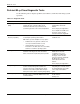
Table 3-1: Diagnostic Tools continued
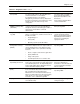
Tool Description How to run the tool
Nteventlog file
The nteventlog file implies a Microsoft Windows
OS and records server blade activity.
View the nteventlog file through
the Windows Event Viewer.
ROM-Based Setup Utility
(RBSU)
RBSU configures the hardware installed in the
server blade. This utility enables users to:
• Store configuration information in nonvolatile
memory.
• Manage memory installation, processor
upgrades, network interface cards, and mass
storage devices.
• Assist in installing an operating system.
• Configure ports and IRQs, if required.
Run RBSU by pressing the F9
key during POST.
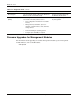
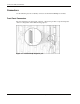
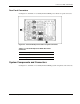
Firmware Upgrades for Management Modules
For information about upgrading server blade management module or power management
module firmware, refer to the HP website:
www.hp.com