
HP ProLiant BL40p Server Blade Maintenance and Service Guide

Contents
Battery ...............................................................................................................................................2-34
System Board ....................................................................................................................................2-36
Server Blade Blanks ..........................................................................................................................2-38
Chapter 3
Diagnostic Tools
ProLiant BL p-Class Diagnostic Tools ......................................................................................................3-2
Firmware Upgrades for Management Modules .........................................................................................3-4
Chapter 4
Connectors, LEDs, and Switches
Connectors .................................................................................................................................................4-2
Front Panel Connectors .......................................................................................................................4-2
Rear Panel Connectors ........................................................................................................................4-3
System Components and Connectors.........................................................................................................4-3
LEDs ..........................................................................................................................................................4-5
ProLiant BL40p Server Blade Front Panel..........................................................................................4-5
Hot-Plug SCSI Hard Drives ................................................................................................................4-6
Switches .....................................................................................................................................................4-8
System Switches..................................................................................................................................4-8
Chapter 5
Port 84 Codes
Determining Port 84 Codes........................................................................................................................5-1
Defining Port 84 Codes..............................................................................................................................5-6
Index
List of Figures
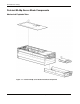
1-1 ProLiant BL40p server blade mechanical components .......................................................................1-2
1-2 ProLiant BL40p server blade system components ..............................................................................1-3
2-1 Pressing the Power On/Standby button ...............................................................................................2-5
2-2 Unlocking the server blade from the server blade enclosure...............................................................2-6
2-3 Removing the server blade from the server blade enclosure...............................................................2-6
2-4 Removing the locking handle..............................................................................................................2-7
2-5 Removing the server blade access panel .............................................................................................2-8
2-6 System board tray assembly removal connector locations..................................................................2-9
2-7 Removing the three-fan assembly .....................................................................................................2-10
2-8 Disconnecting the SCSI I2C cable and the SCSI backplane cable....................................................2-11
2-9 Attaching cables to the processor baffle............................................................................................2-12
2-10 Disconnecting the SCSI cables..........................................................................................................2-12
2-11 Unlocking the system board tray.......................................................................................................2-13
2-12 Removing the system board tray .......................................................................................................2-13
2-13 Removing host-bus adapter card blanks............................................................................................2-14
2-14 Installing a host-bus adapter card ......................................................................................................2-15
2-15 Removing a hard drive blank ............................................................................................................2-16
2-16 Removing a hot-plug SCSI hard drive ..............................................................................................2-17
2-17 Removing a DIMM ...........................................................................................................................2-18
iv HP ProLiant BL40p Server Blade Maintenance and Service Guide