
HP ProLiant BL p-Class System Diagnostic Station User Guide

Installing the Diagnostic Cable or the I/O Cable
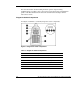
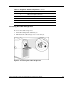
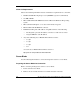
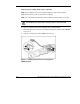
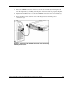
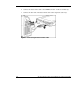
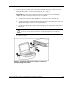
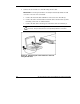
To install the diagnostic cable or the I/O cable with the diagnostic station, see the
“Diagnostic Station” section.
To install the diagnostic cable on a server blade in the rack, refer to the setup and
installation guide included with the server blade.
Diagnostic Station
The diagnostic station enables you to power up and communicate with a server blade
or an interconnect switch outside of the rack environment.
Overview
The diagnostic station enables you to perform the following tasks outside of the rack:
NOTE: An additional power supply may be required for some ProLiant p-Class products.
• Power up a server blade or interconnect switch.
• Observe external LEDs.
• Test NIC activity.
• Configure a server blade or interconnect switch.
• Load software on a server blade or interconnect switch.
• Test a server blade or interconnect switch after installing an option or upgrade.
• Diagnose a server blade or interconnect switch problem using iLO or connecting
directly to the server blade.
IMPORTANT: The diagnostic station is not designed to function as a continuous power supply
replacement.
HP ProLiant BL p-Class System Diagnostic Station User Guide 11
HP CONFIDENTIAL
Writer: Amy Clute File Name: 230859-3.doc
Codename: Nipper Part Number: 230859-003 Last Saved On: 9/10/03 8:46 AM