
HP ProLiant BL p-Class System Diagnostic Station User Guide

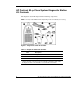
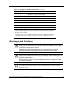
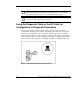
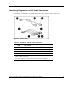
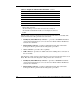

Table 2: Diagnostic and I/O cable connectors continued
Item Description
I/O cable (bottom)
3
4 Video connector
5 USB connector (2)
6 Kernel debug connector
2
7 iLO 10/100 Ethernet RJ-45 connector
1
8 Server blade connector
1
A standard Ethernet cable can be used with the RJ-45 connector for
a direct cable connection.
2
The kernel debug connector does not function as a serial port.
3
The I/O cable is labeled with the I/O icon. The Diagnostic cable has
no label.
The I/O cable connects to the I/O port located on the front of the server blade. The
other end of the I/O cable provides four connections:
• iLO RJ-45 (10/100 Ethernet) connector — provides a 10/100 Ethernet RJ-45
connector through which you can access the server blade with the iLO Remote
Console and a client PC
• Kernel debug connector—requires a null modem serial cable and enables
trained personnel to perform advanced diagnostic procedures
• Video connector—provides video capability
• USB connector—provides two USB connections enabling direct connection to
the server blade
The diagnostic cable connects to the diagnostic port located on the front of the server
blade. The other end of the diagnostic cable provides two connections:
• iLO RJ-45 (10/100 Ethernet) connector—provides a 10/100 Ethernet RJ-45
connector through which you can access the server blade with the iLO Remote
Console and a client PC
• Kernel debug connector—requires a null modem serial cable and enables
trained personnel to perform advanced diagnostic procedures
10 HP ProLiant BL p-Class System Diagnostic Station User Guide
HP CONFIDENTIAL
Writer: Amy Clute File Name: 230859-3.doc
Codename: Nipper Part Number: 230859-003 Last Saved On: 9/10/03 8:46 AM