
ProLiant BL35p Server Blade Maintenance and Service Guide
Table Of Contents
- HP ProLiant BL35p Server Blade Maintenance and Service Guide
- Notice
- Contents
- Illustrated parts catalog
- Removal and replacement procedures
- Safety considerations
- Preparation procedures
- ATA drive cage assembly
- ATA hard drive option
- SAS drive cage assembly
- SAS hard drive option
- SAS controller and cables
- Air baffle (dual-core processor models only)
- DIMMs
- Processor
- Fan assembly
- Dual Port Fibre Channel Adapter (2 GB)
- NIC riser board
- Power converter module
- Power button/LED cable
- Server blade handle
- System board assembly
- Server blade blanks
- HP BladeSystem p-Class sleeve
- HP BladeSystem p-Class sleeve board
- Diagnostic tools
- Component identification
- Specifications
- Acronyms and abbreviations
- Index
Component identification 39
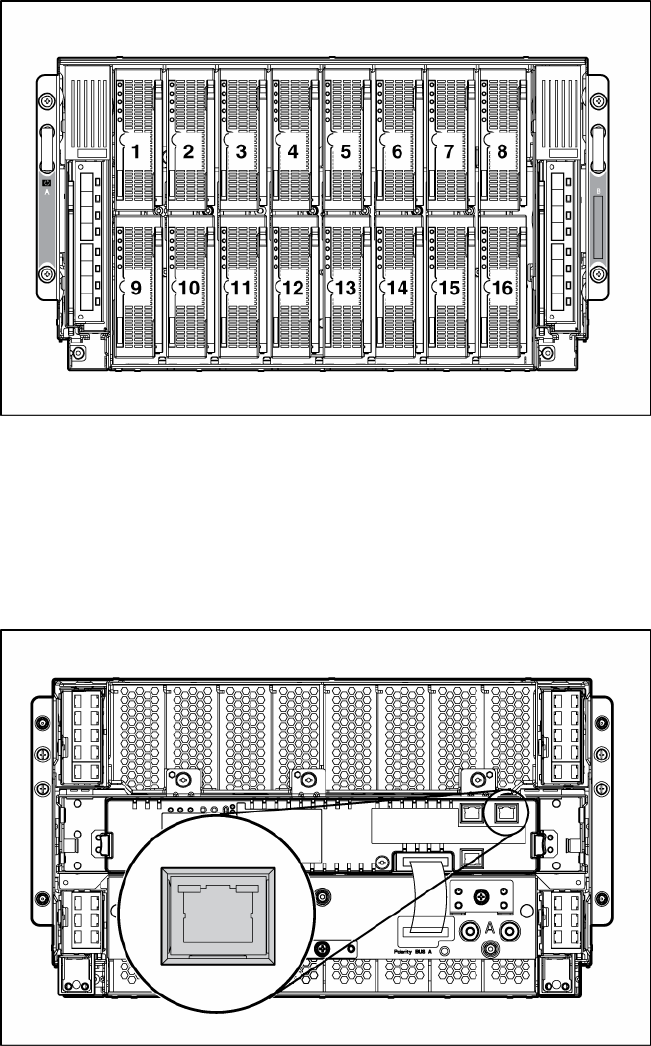
Server blade enclosure compatibility
The HP ProLiant BL35p Server Blades require the support of an HP BladeSystem p-Class sleeve in a server
blade enclosure with enhanced backplane components (enhanced server blade enclosure). The enhanced
server blade enclosure also provides a single rear iLO connector for single-cable remote management of
all installed HP ProLiant BL35p Server Blades.
For more information about the enhanced server blade enclosure, refer to the HP ProLiant BL p-Class
Server Blade Enclosure Upgrade Installation Guide or the HP ProLiant BL p-Class Server Blade Enclosure
Installation Guide.