
ProLiant BL35p Server Blade Maintenance and Service Guide
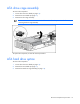
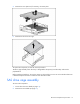
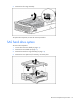
Table Of Contents
- HP ProLiant BL35p Server Blade Maintenance and Service Guide
- Notice
- Contents
- Illustrated parts catalog
- Removal and replacement procedures
- Safety considerations
- Preparation procedures
- ATA drive cage assembly
- ATA hard drive option
- SAS drive cage assembly
- SAS hard drive option
- SAS controller and cables
- Air baffle (dual-core processor models only)
- DIMMs
- Processor
- Fan assembly
- Dual Port Fibre Channel Adapter (2 GB)
- NIC riser board
- Power converter module
- Power button/LED cable
- Server blade handle
- System board assembly
- Server blade blanks
- HP BladeSystem p-Class sleeve
- HP BladeSystem p-Class sleeve board
- Diagnostic tools
- Component identification
- Specifications
- Acronyms and abbreviations
- Index
Removal and replacement procedures 14
ATA drive cage assembly
To remove the component:
1. Power down the server blade (on page 13).
2. Remove the server blade (on page 13).
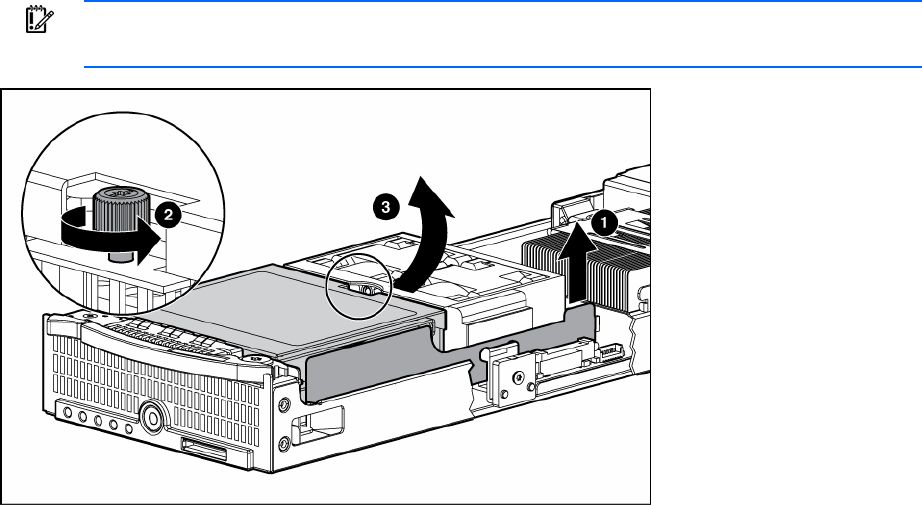
3. Remove the drive cage assembly.
IMPORTANT: Be sure to disconnect the hard drive cable from the system board before
removing the drive cage assembly.
To replace the component, reverse the removal procedure.
ATA hard drive option
To remove the component:
1. Power down the server blade (on page 13).
2. Remove the server blade (on page 13).
3. Remove the ATA drive cage assembly (on page 14).