
HP ProIiant BL2x220c G6 Server Blade Maintenance and Serivce Guide

Removal and replacement procedures 49
3.
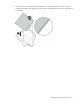
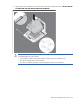
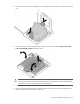
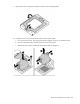
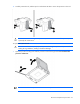
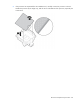
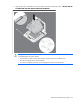
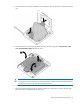
Align the processor installation tool with the socket, and then install the processor. THE PINS ON THE
SYSTEM BOARD ARE VERY FRAGILE AND EASILY DAMAGED.
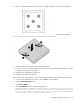
CAUTION: THE PINS ON THE SYSTEM BOARD ARE VERY FRAGILE AND EASILY DAMAGED. To
avoid damage to the system board:
• Never install or remove a processor without using the processor installation tool.
• Do not touch the processor socket contacts.
• Do not tilt or slide the processor when lowering the processor into the socket.