
HP ProIiant BL2x220c G6 Server Blade Maintenance and Serivce Guide

Removal and replacement procedures 37
3.
Access the internal server components (on page 24).
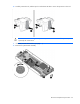
4. Disconnect any cables connected to the mezzanine card.
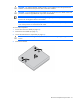
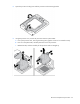
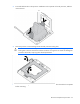
5. Remove the mezzanine card.
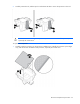
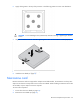
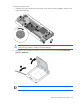
CAUTION: To prevent damage to the server blade, apply pressure over the mezzanine
connector when installing the mezzanine card. Do not apply pressure to the edges of the card.
To replace the component, reverse the removal procedure.
Server A system board
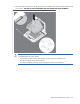
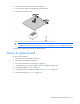
To remove the component:
1. Power down the server blade (on page 22).
2. Remove the server blade (on page 23).
3. Access the internal server components (on page 24).
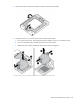
4. If installed, remove the server A USB key or SD card adapter (on page 28).
5. Remove all DIMMs ("DIMMs" on page 27).
6. If installed, remove the mezzanine cards ("Mezzanine card" on page 36).
7. Remove the heatsink ("Heatsink" on page 29).