
HP ProIiant BL2x220c G6 Server Blade Maintenance and Serivce Guide

Removal and replacement procedures 36
6.
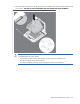
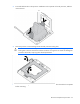
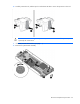
Apply all the grease to the top of the processor in the following pattern to ensure even distribution.
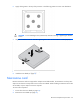
CAUTION: To avoid damage to the system board, alternate removing or tightening the heatsink
screws.
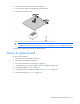
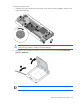
7. Align and install the heatsink. Alternate tightening the screws until the heatsink is seated properly.
8. Install the server B assembly (on page 25).
9. Install the server blade (on page 25).
Mezzanine card
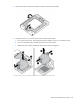
Because mezzanine cards are supported on multiple server blade models, the mezzanine card may have
captive screws that are not required to secure it to the server blade. When installing a mezzanine card in this
server blade, only two captive screws are required.
To remove the component:
1. Power down the server blade (on page 22).
2. Remove the server blade (on page 23).