
HP ProIiant BL2x220c G6 Server Blade Maintenance and Serivce Guide

Removal and replacement procedures 30
2.
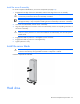
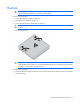
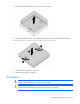
Remove the thermal interface protective cover from the heatsink.
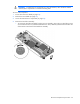
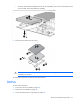
3. Align and install the heatsink. Alternate tightening the screws until the heatsink is seated properly.
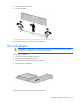
4. Install the server B assembly (on page 25).
5. Install the server blade (on page 25).
Processor
WARNING: To reduce the risk of personal injury from hot surfaces, allow the drives and the
internal system components to cool before touching them.
CAUTION: To prevent possible server blade malfunction and damage to the equipment,
multiprocessor configurations must contain the same type of processors.