
HP ProIiant BL2x220c G6 Server Blade Maintenance and Serivce Guide

Removal and replacement procedures 23
• Press and release the server A and server B Power On/Standby buttons.
This method initiates a controlled shutdown of applications and the OS before the server blade enters
standby mode.
• Press and hold the server A and server B Power On/Standby buttons for more than 4 seconds to force
the server blade to shut down.
This method forces the server blade to enter standby mode without properly exiting applications and the
OS. It provides an emergency shutdown method in the event of a hung application.
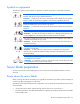
CAUTION: To prevent damage to the server or the operating system, always power down both
server A and server B before removing the server blade from the enclosure.
IMPORTANT: When the server blade is in standby mode, auxiliary power is still being provided.
To remove all power from the server blade, remove the server blade from the enclosure.
After initiating a virtual power down command, be sure that both server A and server B are in standby mode
by observing that the system power LEDs are amber.
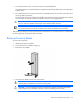
Remove the server blade
To remove the component:
1. Identify the proper server blade.
2. Power down the server blade (on page 22).
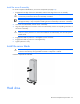
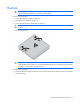
3. Remove the server blade.
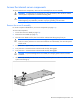
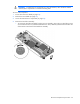
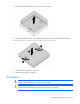
4. Place the server blade on a flat, level work surface.
WARNING: To reduce the risk of personal injury from hot surfaces, allow the drives and the
internal system components to cool before touching them.
CAUTION: To prevent damage to electrical components, properly ground the server blade
before beginning any installation procedure. Improper grounding can cause ESD.