
BBWC Battery Option Installation Insturctions for HP ProLiant BL2x220c Generation 5 Server Blade
o If a processor and heatsink are installed in processor
socket 2, then remove the server A system board assembly,
route the cables between the heatsink and the system
board, and install the system board assembly.
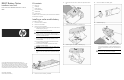
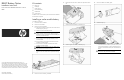
11. Install the cable clips.
12. Route both cables around the edge of processor socket 2 and
through the clip located near processor socket 2.
13. Route the battery cable attached to the lower battery through
the clip near the DIMM slots, through the baffle and into the
space between the mezzanine card mounting posts and the
mezzanine connectors.
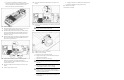
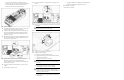
14. Route the battery cable connected to the upper battery through
the clip near the DIMM slots, through the baffle and into the
space near the signal connector.
15. Install the lower mezzanine card. The cables must lie flat
between the mezzanine card and the system board.
For more information, see the installation instructions that ship
with the mezzanine cards.
16. Connect the cable from the lower battery to the lower cache
module.
17. Install the upper mezzanine card.
18. Connect the cable from the upper battery to the upper cache
module.
19. Position any excess cable between the mezzanine card and the
system board.
CAUTION: To prevent battery cable and system board
damage, always install the cable shield.
20. Install the cable shield.
21. Install the server A USB key, if removed.
22. Install the server B assembly:
a. Extend the server B serial label pull tab.
b. Engage the front edge of server B assembly with the front
edge of server A assembly.
c. Lower server B onto server A assembly.
CAUTION: Route the cache module battery cables so that
they do not become pinched when the server B assembly
is installed.
d. Align the signal and power connectors with the
corresponding connectors on server A assembly.
CAUTION: The jackscrews control the unseating and
seating of critical system connectors. Failure to use the
jackscrews to remove and install the server B assembly can
cause the system boards to fail.
e. Engage the threads on the right jackscrew and tighten six
turns clockwise.
f. Engage the threads on the left jackscrew and tighten fully.
g. Tighten the threads on the right jackscrew fully.
23. Install the server blade.
The installation is complete.