
HP ProLiant BL280c G6 Server Blade Maintenance and Service Guide


Removal and replacement procedures 35
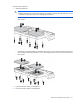
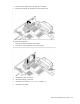
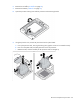
4. Remove the mezzanine card.
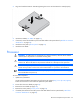
To replace the component:
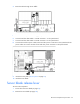
1. Install the mezzanine card. Press down on the connector to seat the board.
2. Install the access panel ("Access panel" on page 25).
3. Install the server blade.
USB/SD card module
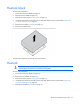
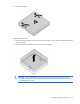
To remove the component:
1. Power down the server blade (on page 23).
2. Remove the server blade (on page 24).
3. Remove the access panel ("Access panel" on page 25).
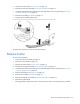
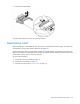
4. Remove the USB drive key from the USB connector, if installed.