
HP ProLiant BL280c G6 Server Blade Maintenance and Service Guide

Removal and replacement procedures 26
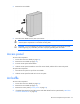
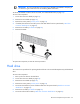
5. Remove the air baffle.
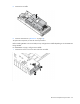
6. Remove all hard drives ("Hard drive" on page 29).
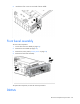
To replace the component, reverse the removal procedure.
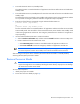
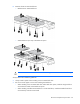
Before installing DIMMs in the server blade, always configure the air baffle depending on which DIMMs are
being installed.
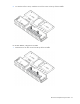
For 8-GB DIMMs or larger, configure the air baffle:
1. Remove the air flow cover from each end of the air baffle.