
HP ProLiant BL260c Generation 5 Server Blade Maintenance and Service Guide
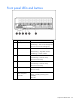
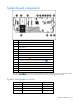
Table Of Contents
- HP ProLiant BL260c Generation 5 Server Blade Maintenance and Service Guide
- Notice
- Contents
- Customer self repair
- Illustrated parts catalog
- Removal and replacement procedures
- Cabling
- Diagnostic tools
- Component identification
- Specifications
- Acronyms and abbreviations
- Index
Component identification 54
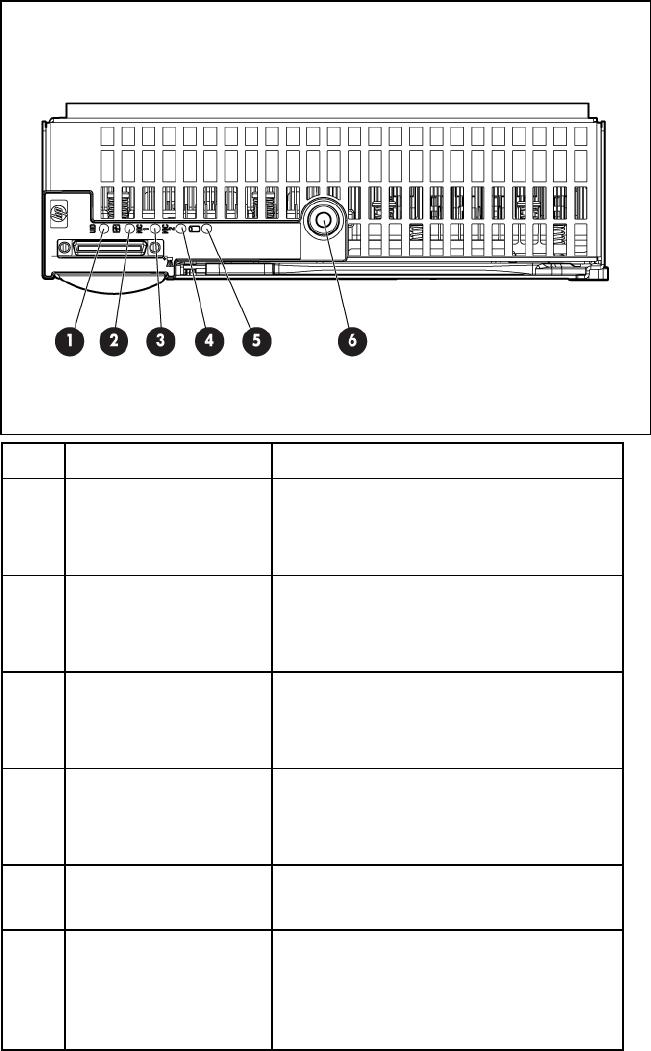
Front panel LEDs and buttons
Item Description Status
1 UID LED/button Blue = Identified
Blue flashing = Active remote management
Off = No active remote management
2 Health LED Green = Normal
Amber flashing = Degraded condition
Red flashing = Critical condition
3 NIC 1 LED Green = Network linked
Green flashing = Network activity
Off = No link or activity
4 NIC 2 LED Green = Network linked
Green flashing = Network activity
Off = No link or activity
5 Hard drive activity LED Green = Activity
Off = No activity
6 Power On/Standby
button and system
power LED
Green = On
Amber = Standby (auxiliary power
available)
Off = Off