
HP ProLiant BL260c Generation 5 Server Blade Maintenance and Service Guide
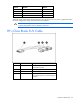
Table Of Contents
- HP ProLiant BL260c Generation 5 Server Blade Maintenance and Service Guide
- Notice
- Contents
- Customer self repair
- Illustrated parts catalog
- Removal and replacement procedures
- Cabling
- Diagnostic tools
- Component identification
- Specifications
- Acronyms and abbreviations
- Index

Diagnostic tools 52
For more information on ProLiant USB support, see the HP website
(http://h18004.www1.hp.com/products/servers/platforms/usb-support.html
).
Internal USB functionality
An internal USB connector is available for use with security key devices and USB drive keys. This solution
provides for use of a permanent USB key installed in the internal connector, avoiding issues of clearance
on the front of the rack and physical access to secure data.
External USB functionality
HP provides external USB support to enable local connection of USB devices for server blade
administration, configuration, and diagnostic procedures. For more information, see "Using the HP c-
Class Blade SUV Cable (on page 47)."
For additional security, external USB functionality can be disabled through RBSU. Disabling external USB
support in RBSU disables the USB connectors on the HP c-Class Blade SUV Cable.