
ProLiant BL25p Server Blade Maintenance and Service Guide




Removal and replacement procedures 17
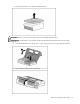
CAUTION: To avoid overheating of the dual core processor, the old air baffle must be replaced when
upgrading from a single core processor to a dual core processor.
IMPORTANT: To ensure proper cooling, be sure the correct processor air baffle (on page 18) is installed
at all times.
HP Smart Array 6i Controller
To remove the component:
1. Power down the server blade and remove it from the server blade enclosure ("Server blade
preparation" on page 11).
2. Remove the access panel ("Access panel" on page 12).
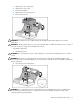
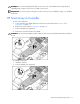
3. Turn the standoffs one quarter-turn.
4. Remove the controller from the server blade.
CAUTION: Disconnecting the battery module cable will cause any unsaved data in the memory module to
be lost.
To install the component:
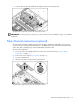
1. Install the controller.
2. Turn the standoffs one quarter-turn.