
HP ProLiant BladeSystem p-Class System Maintenance and Service Guide



Removal and Replacement Procedures 59
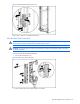
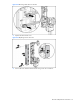
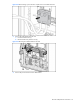
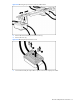
Figure 2-47 Powering down the diagnostic station
4. Remove the diagnostic station AC power cord from the AC outlet.
5. Disconnect the DC power cord from the diagnostic station.
6. Disconnect all data cables from the diagnostic station.
7. Place the diagnostic station on a flat, level surface.
Reverse steps 1 through 7 to power up the diagnostic station. For full installation and cabling procedures, refer to the
documentation that ships with the diagnostic station.
Diagnostic Station Power Supply
To remove a diagnostic station power supply:
1. Power down the diagnostic station. Refer to the “Diagnostic Station Preparation” section in this chapter.
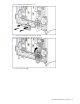
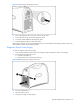
2. Remove the power supply access cover:
a. Pinch the locking latch (1).
b. Pull the access cover away from the chassis (2).
Figure 2-48 Removing the power supply access cover
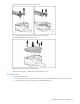
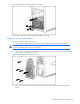
3. Press the release button (1).
4. Open the ejector lever (2).
5. Pull the power supply out of the bay (3).